How to Turn Daily Tips into Instagram Carousels and Reels in 5 Minutes Using AI

Setting Your Topic in the AI Dashboard

Content creation often starts with choosing the right format. In the dashboard, you begin by selecting a preset category to set the tone, such as a casual blog series. This helps the AI understand the pacing and voice you want before writing a single word.
Type in your core topic into the central prompt box—for instance, practical everyday tips like battery care. Click the confirmation button, and the system immediately starts outlining key points while a loading prompt prepares the workflow.
Reviewing and Polishing the Draft

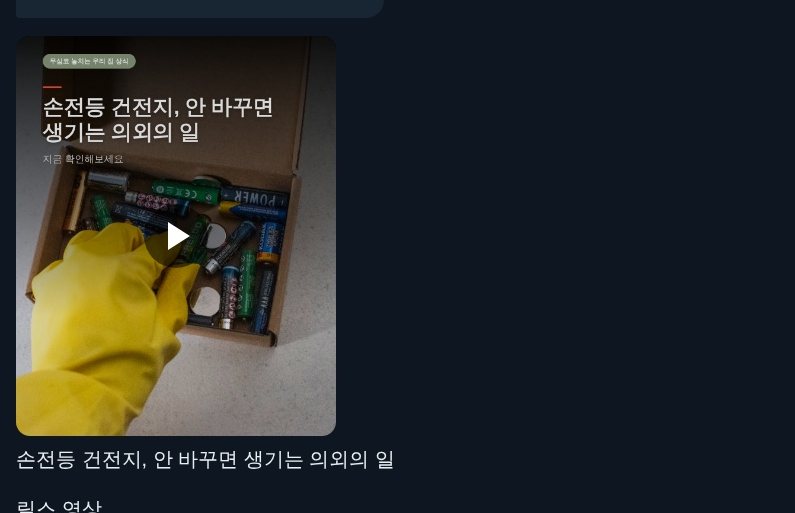
Within seconds, the AI generates a structured script broken into digestible cards. In Korea, this format is known as *card news* (카드뉴스, bite-sized graphic slide carousels widely used for sharing tips and news on social media).
The draft breaks the topic into clear headers: why timing matters, warning signs, common mistakes, and proper maintenance. You can click the edit icon next to any paragraph to tweak awkward phrases or adjust specific terms before hitting the green approval button at the bottom.
Picking a Clean Visual Theme

Once the script is approved, the interface displays a grid of visual templates. Because first impressions determine whether someone swipes through your post or scrolls past, matching the theme to your content is essential.
Filter buttons let you browse styles ranging from playful to corporate. For an everyday tip guide, selecting a clean lifestyle layout with bright accent colors keeps the text legible. A live preview on the right shows exactly how the text will sit against the graphics.
Selecting Background Music
Short-form video feeds move fast, and audio often determines whether a viewer stays on your clip. The music library offers a range of tracks sorted by vibe, from calm ambient tones to upbeat tempos.
You can click the play button next to each track to preview the sound. For practical life hacks, a lively yet unintrusive background track keeps the focus on the information. Check the box next to your pick and apply it to sync the audio with the upcoming video render.
Rendering Carousels and Vertical Reels

After applying your music, the generator compiles the text, layout, and audio into final files. A progress bar updates on the screen while the AI renders both static images and vertical video clips simultaneously.
The entire process takes about 1 to 2 minutes. When finished, you see your multi-slide image carousel on the left and a vertical Reel on the right, ready for direct download to your device.
Publishing Across Multiple Platforms at Once
Instead of manually uploading assets one by one to different apps, you can use the multi-channel posting tool. Clicking the upload button opens a connection menu for your connected accounts, including Instagram and YouTube Shorts.
Once logged in, the system retains your credentials for future posts. Review the auto-generated title and suggested hashtags, click publish, and your graphics and short video go live across all selected channels instantly.
Common questions
What is card news in Korean social media?
Card news (*kadeu nyuseu*) is a popular Korean format of multi-image slide carousels designed for mobile screens. It combines concise text with clean graphics to deliver news, tips, and stories in a quick, swipeable layout.
How long does it take for AI to generate social media slides and reels?
Once you confirm your script, theme, and audio, the rendering process typically takes 1 to 2 minutes to produce both the multi-slide images and the vertical video.
Can AI tools post directly to Instagram and YouTube Shorts?
Yes, many modern content platforms feature built-in social media integrations. After linking your accounts once, you can schedule or publish your carousels and short-form videos with a single click.
More from the kitchen
- How 'Mangson' Koreans Use AI to Create Instagram Card News and Reels in 5 Minutes
- How to Make Viral Korean AI Personality Tests in 5 Minutes (Even with "Poop Hands")
- How to Create Instagram Carousels and Reels in Five Minutes Using AI
- What's Your Dating Style? A Korean Quiz on Relationship Defense Mechanisms